With Praise you can easily pull tweets written by your happy customers about your business directly into your testimonials section. This is done by first searching Twitter for relevant tweets and the importing the ones you like.
The import from Twitter please do the following:
- Open the settings panel
- Hit the "Manage testimonials" button in the "Main tab"
- Switch to "Twitter" tab located on the left hand side
- Submit either the Twitter handle of your business to search for tweets that mention your handle, or simply the name of your business to run a generic search.
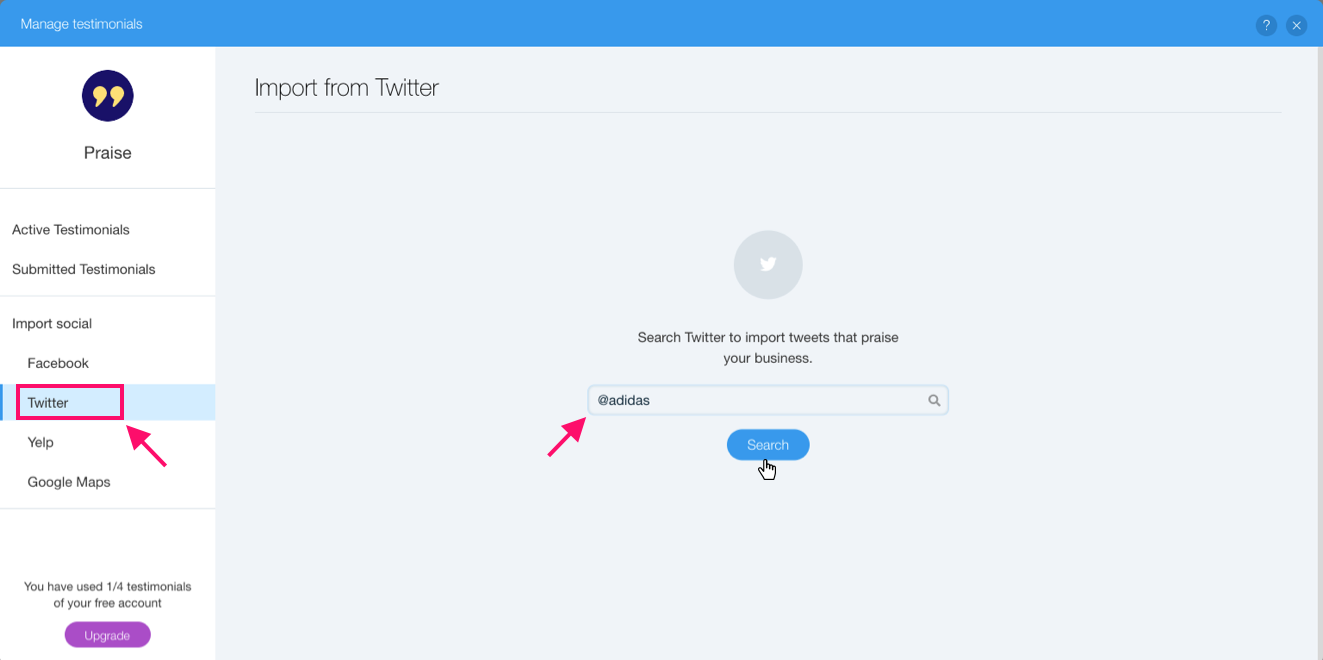
Once you've submitted your search a list of matching tweets will appear below the search box.
Hit "Import" on the post you'd like to display and we'll create a testimonial with details pulled from Twitter. We'll also automatically link the testimonial back to the original post to add credibility to your testimonials section.
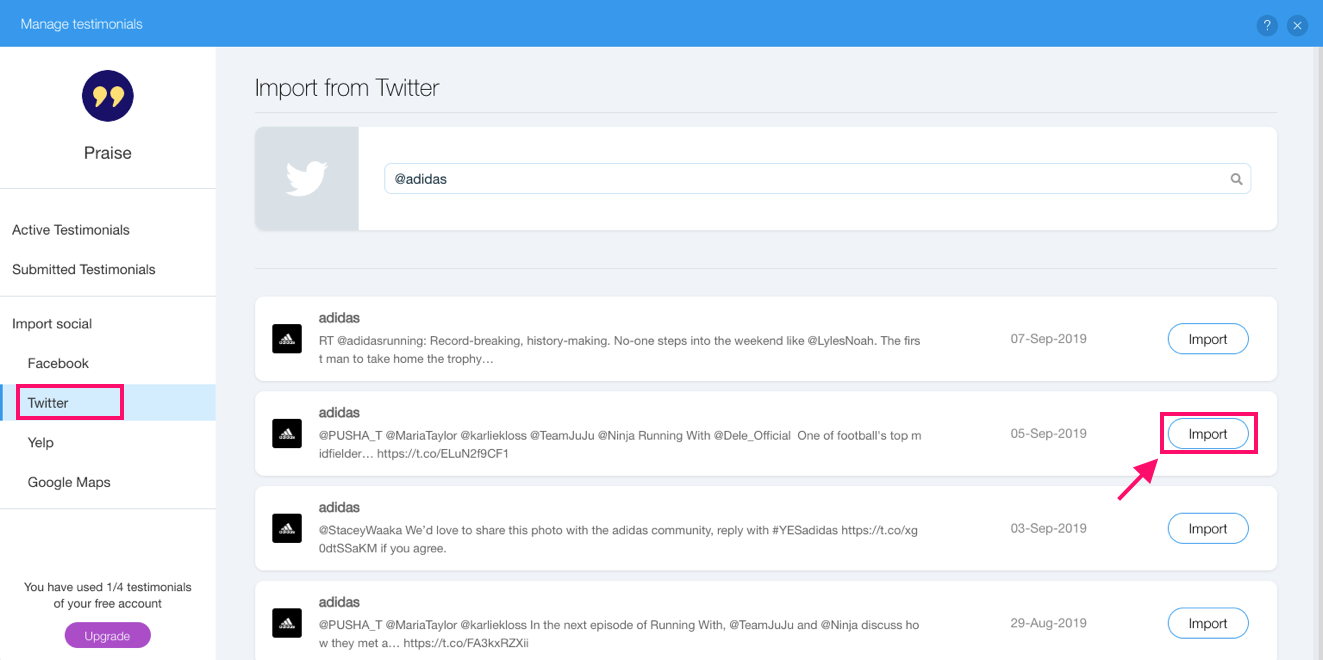
You might notice that after you hit the "Import" button it is replaced with a green check mark - this mark will appear on each testimonial that was already imported into your app.
Comments
0 comments
Please sign in to leave a comment.