Masonry layout displays the testimonials in a multi-column list where each testimonial can be of different height. The number of columns is set by the Column parameter, located below the layout selection gallery.
Navigation options
If no navigation is selected the masonry layout will display all the available testimonials.
If Load More navigation is selected then this layout will first display some of the testimonials - the initial number is set by Testimonials to show on start parameter. Then on each click of the "Load more" button another set will be added. The number of added testimonials is set by Testimonials to load parameter.
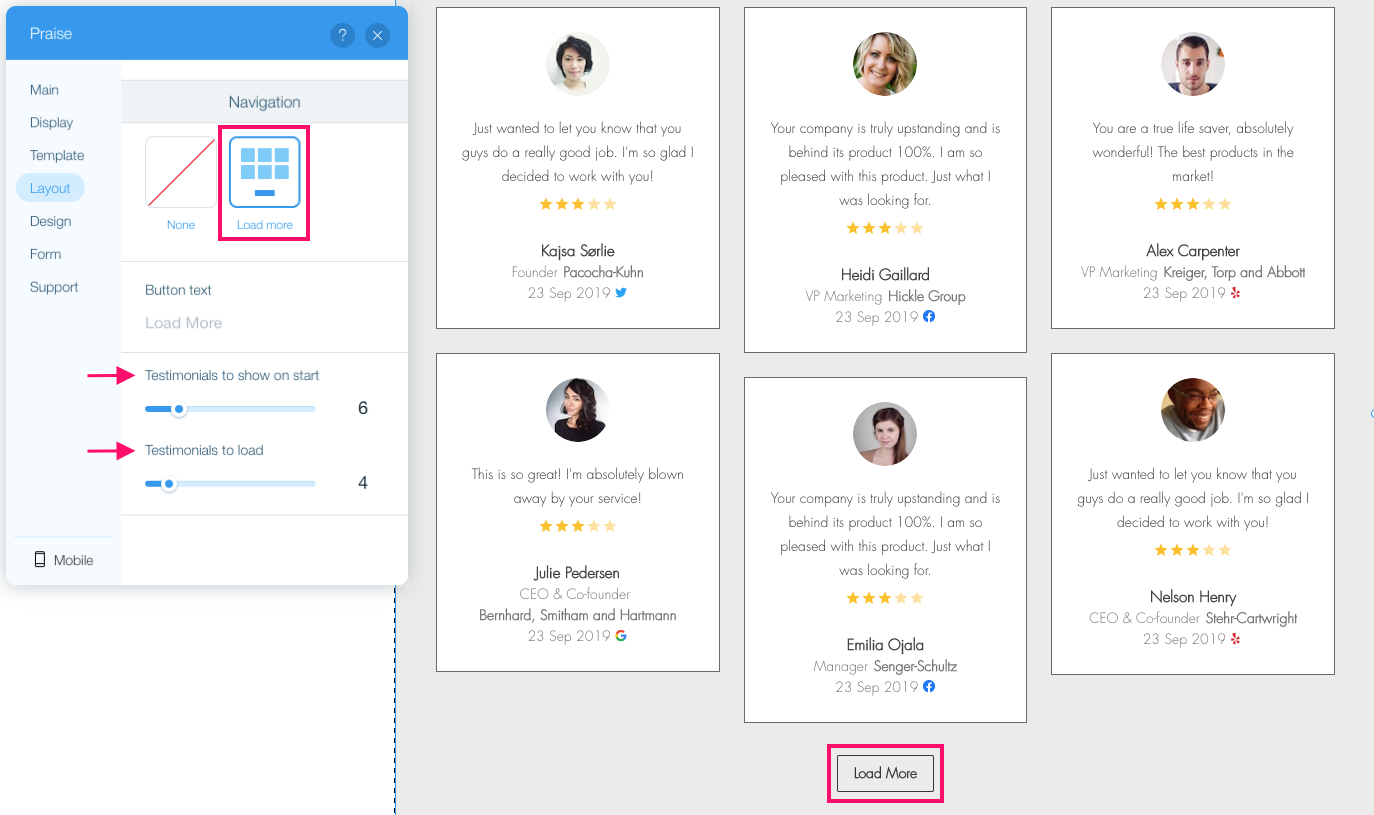
The label of the "Load more" button can be set using the Button text parameter.
The button will be disabled if all the testimonials are already displayed - whether after several "Load more" clicks or simply because all the testimonials can be displayed at once without the need to load more.
Comments
0 comments
Please sign in to leave a comment.