Praise currently offers 7 highly customizable templates you can choose from. Each template can be customized by choosing the elements it displays, the order of the elements, their alignment and of course the font style and the colors it uses.
To choose which template should your app use:
- Open Praise settings panel
- Switch to the Templates tab
- Choose one of the templates in the gallery. The app should immediately be updated to display the selected template.
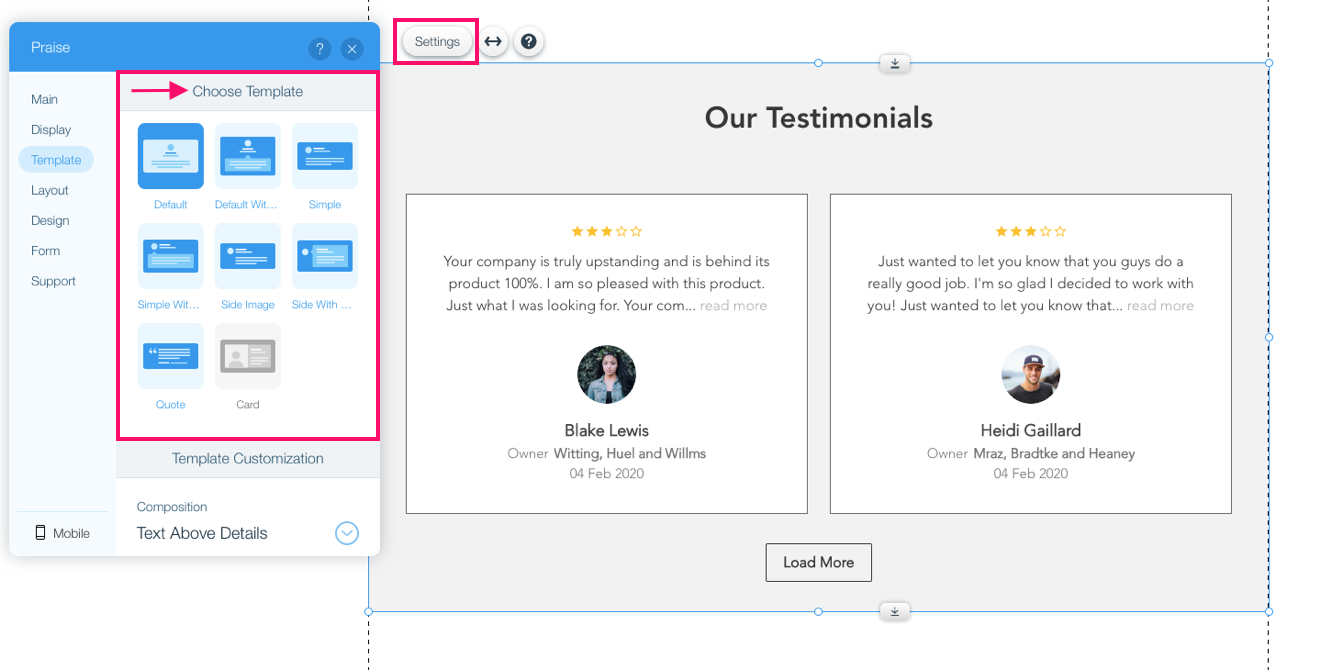
The available templates are:
- Default
- Default with Bubble
- Simple
- Simple with Bubble
- Side Image
- Side Image with Bubble
- Quote
Once a template has been selected you can further customize it using the configuration options below the gallery which we cover in the next articles.
Comments
0 comments
Please sign in to leave a comment.