When you have testimonials with long text, or when the length of the text varies significantly between the different testimonials - it's useful to show only a few lines of text excerpt with an option to reveal the full text.
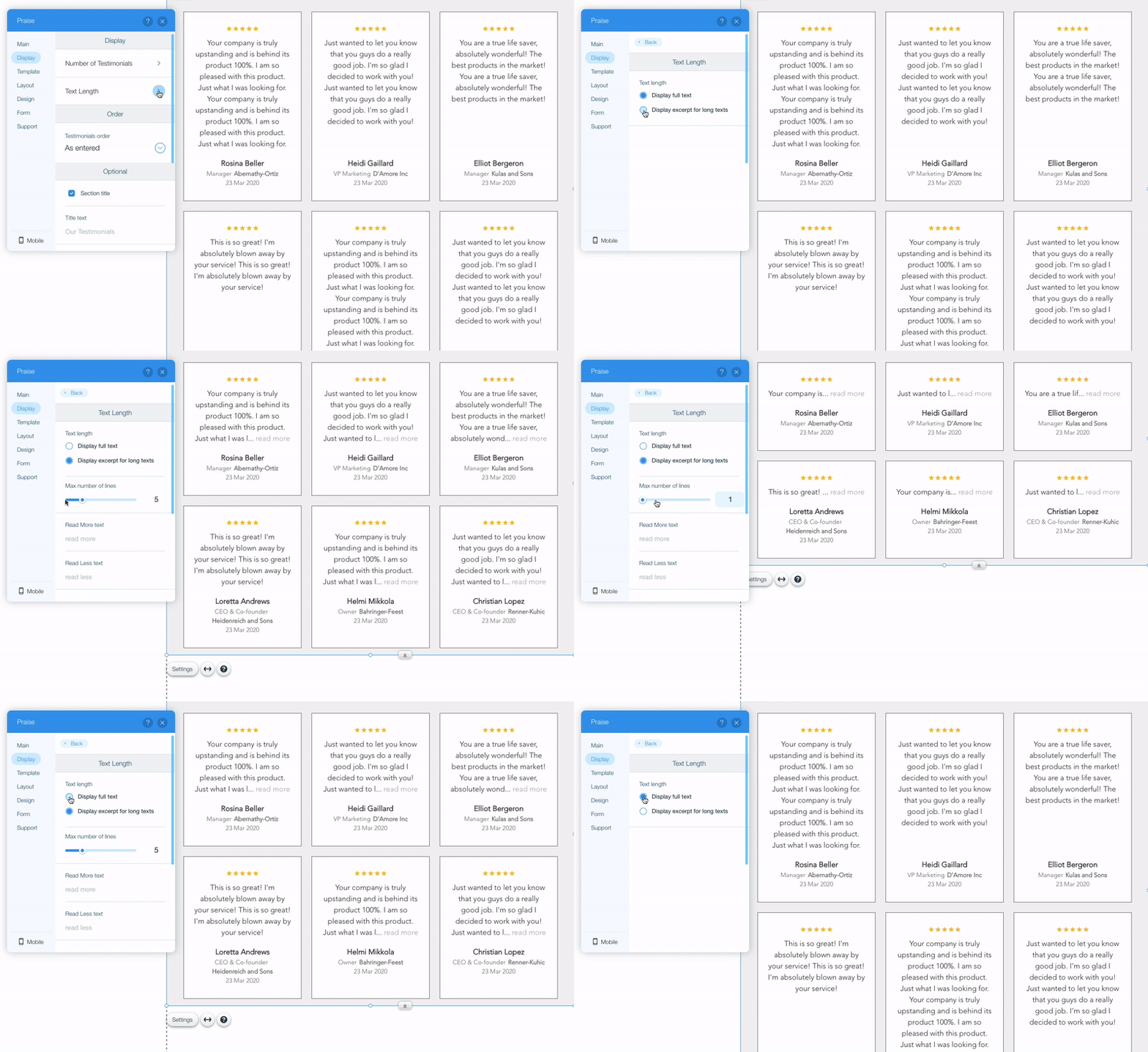
To control the length of testimonials please follow the next steps:
- Open Praise settings
- Switch to Display tab and open Text length settings
- Choose Display full text if you want the entire text of the testimonials to be immediately visible.
- Choose Display excerpt for long texts if you want to show only part of the text, and then choose how many lines to show using the Max number of lines parameter.
Comments
0 comments
Please sign in to leave a comment.